MicroSD Tools
Tools → MicroSD Tools bundles utilities for preparing and maintaining the MicroSD card, so you do not need a computer for common tasks.
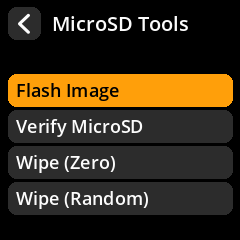
| Menu item | What it does |
|---|---|
| Flash Image | Write a bundled SeedSigner image to a MicroSD card |
| Verify MicroSD | Verify a freshly flashed card against a known image |
| Wipe (Zero) | Overwrite the card with zeros |
| Wipe (Random) | Overwrite the card with random data |
These tools are only available on the device. In desktop simulation mode the menu reports that the tools are unavailable, because there is no Raspberry Pi SD interface to drive.
Flash Image
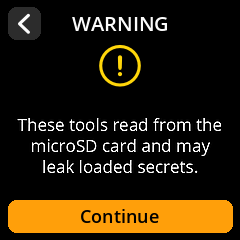
Flash Image writes one of the official SeedSigner images bundled with the OS to another MicroSD card. Choose the image from the list and confirm. This is the in-app equivalent of Etcher / Raspberry Pi Imager.
The device must have the source images available (they ship with SeedSigner OS) and a target card inserted. Flashing overwrites the target card completely.
Verify MicroSD
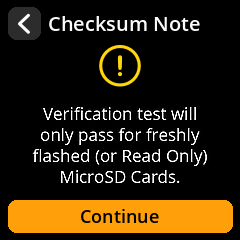
Verify MicroSD compares the contents of a freshly flashed card against the known bundled image, so you can confirm a flash succeeded without a computer. It is intended to be run on a card you are holding aside, before trusting it.
Wipe
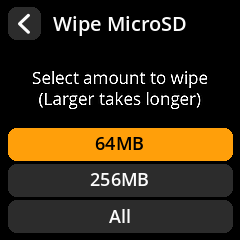
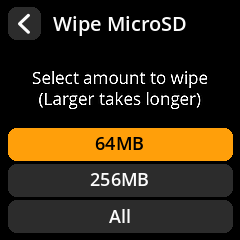
The two wipe options overwrite the card with zeros or with random data. For each you choose how much to write:
- 64 MB – enough to overwrite the metadata/partition table on most cards.
- 256 MB – a deeper wipe.
- All – overwrite the whole card (slow).
Secure erasure is about removing data you no longer want recoverable. Wipe (Random) is the stronger option; Wipe (Zero) is faster. Neither can recover a card that has already failed.
SeedSigner is stateless and never writes seeds to the MicroSD card, so a normal card does not contain secret material. Use these tools when recycling or disposing of a card, or when preparing one for a fresh image.