Quick start 05 — Generate a password and save it to a SeedKeeper
This guide generates a strong password with the Password Generator, then stores it on a SeedKeeper card so you can read it back later.
What you need
- A SeedKeeper card with a PIN set (Quick start 01).
- Tools → Password Generator is available on any build; no special settings.
Part 1 — Generate the password
-
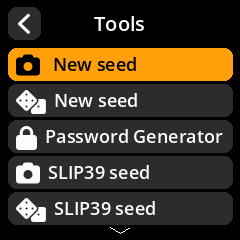
Go to Tools → Password Generator.
-
Choose a Password Type.
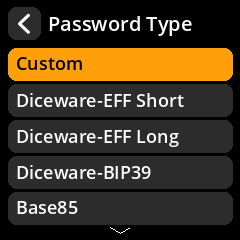
For a passphrase you can retype, Diceware-BIP39 is a good default; for a random string, choose Base64 or Custom.
-
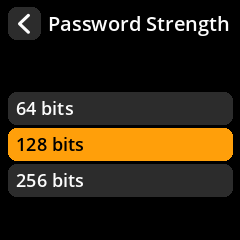
Choose a strength (64 / 128 / 256 bits) and, for word-based types, a separator.
-
Choose an entropy source.
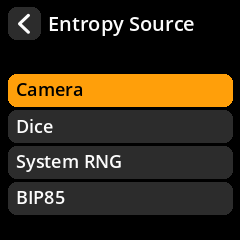
- System RNG is fastest. If the device’s RNG monitor has flagged the source as unhealthy, generation fails closed with a System RNG Error rather than making a weak password.
- Camera samples noise from the camera; move it over a varied scene.
- Dice asks you to enter rolls.
- BIP85 derives it deterministically from a loaded seed.
-
Review the generated password. It is shown on screen; if you chose a QR-friendly option you can also Show as QR.
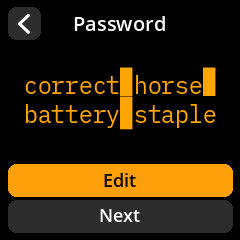
Part 2 — Save it to the SeedKeeper
-
On the review/save screen, choose Save to Seedkeeper.
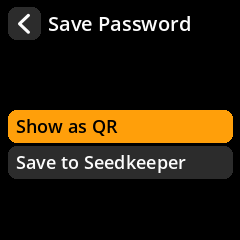
- Enter a Password Name (the label, e.g.
exchange-login). - Wait for Password saved to Seedkeeper.
Part 3 — Read it back
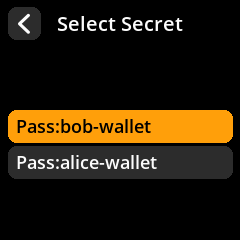
- Tools → Smartcard Tools → SeedKeeper Functions → View Secrets on Card.
- Choose the password’s label.
-
View it as text, or show it as a QR code.
Important
A password stored only on a card is lost if the card is lost. Keep a separate recovery copy of anything critical. The SeedKeeper is a convenience, not a backup strategy on its own.