Quick start 02 — Generate a mnemonic and save it to a SeedKeeper
This guide creates a new BIP-39 seed on the SeedSigner, saves it to a SeedKeeper card, and loads it back.
What you need
- A SeedKeeper card with the applet installed and a PIN set (Quick start 01).
- The seed you generate will be on the card. Depending on how you generate it, the SeedSigner is stateless — the card may be your only copy, so treat it accordingly.
Part 1 — Create a seed
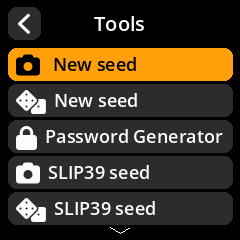
- From Home choose Tools.
-
Choose New seed (camera entropy) or New seed (dice entropy).
- Choose the mnemonic length (12/15/18/21/24 words).
- Generate entropy (photograph a varied scene for the camera, or enter dice rolls).
-
SeedSigner shows the words. Write them down / verify them, then finalize the seed.
Part 2 — Save the seed to the SeedKeeper
-
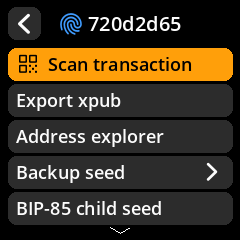
On the Seed Options screen choose Backup seed.
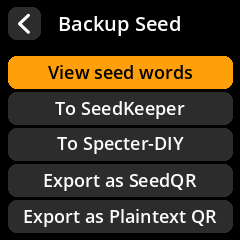
- Choose To SeedKeeper.
- Enter the card PIN if prompted (or set one if the card is blank).
-
Enter a Seed Label — the default is the fingerprint; a friendly name like
savingsis easier to spot later.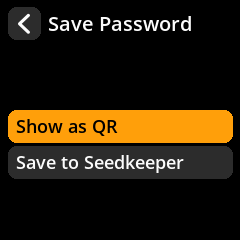
-
Wait for Secret Saved.
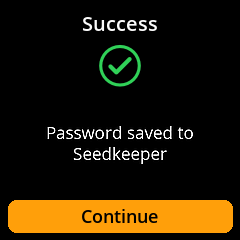
The seed (master seed, wordlist and passphrase) is now on the card. You can optionally repeat on a second card for redundancy.
Part 3 — Load the seed back
-
Seeds → Load a seed → From SeedKeeper.
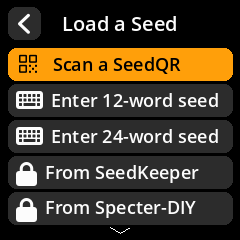
- Enter the card PIN if prompted.
-
Pick the secret from the Select Secret list.
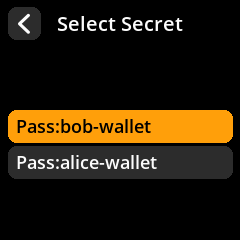
- The seed loads into memory. Check the fingerprint matches the seed you saved.
Optional — verify the card’s contents
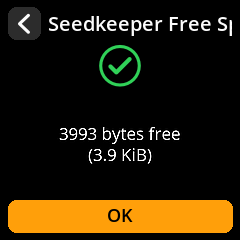
Tools → Smartcard Tools → SeedKeeper Functions → View Free Space or View Secrets on Card to confirm the secret was written.